Features

Everything between your footage and a working model.

One desktop app for collecting frames, labeling them with AI help, checking the dataset, and training and comparing models. All of it runs on your PC.

01 · Label

Fast labeling, with AI doing the first pass.

Every tool has a key, and AI suggestions stay dashed until you approve them.
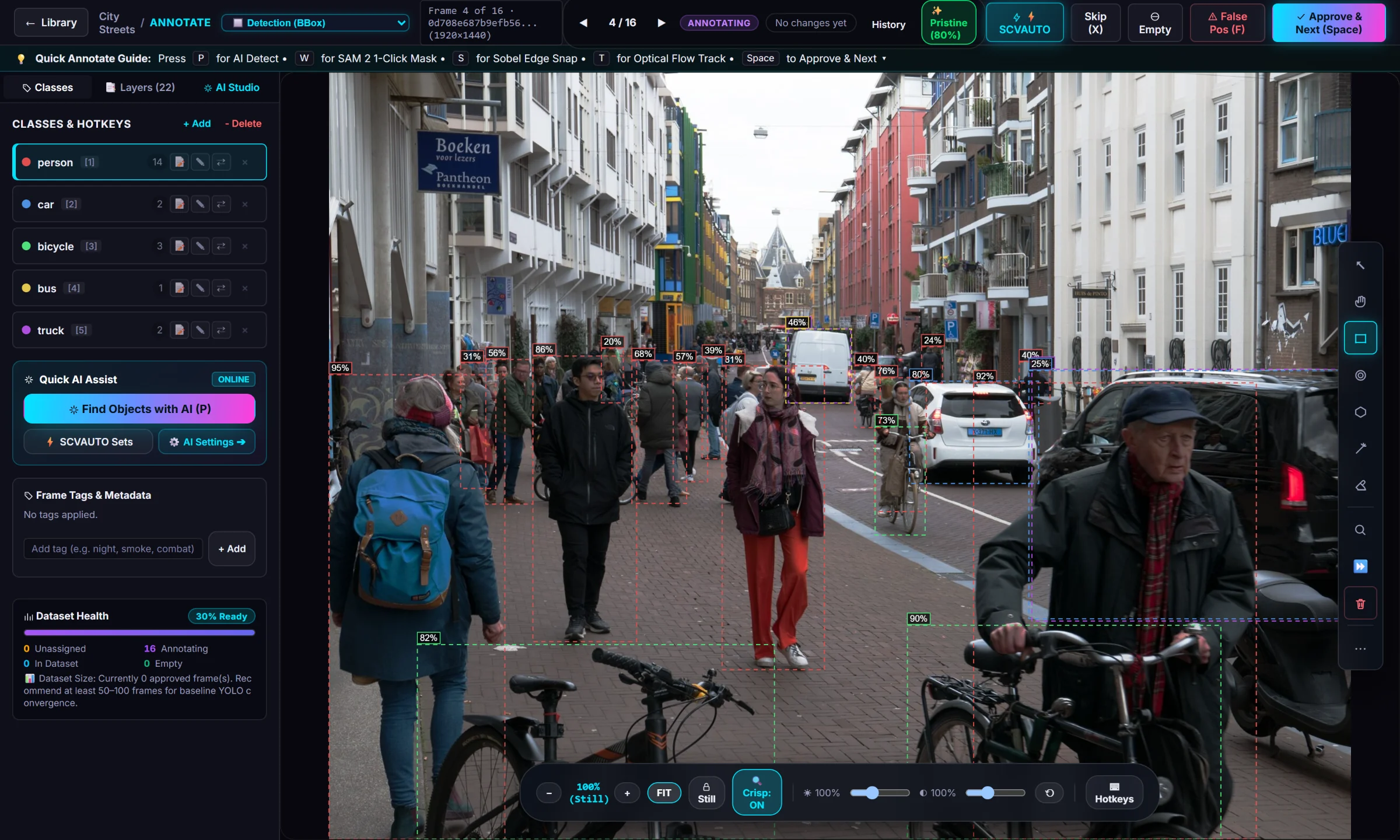
  • Find objects with AI P: an open-vocabulary detector boxes every class you named
  • Click-to-mask W: Segment Anything 2.1 turns a click into an outline
  • Edge snap S: tighten a rough box to the object's edges
  • Track T: follow an object into the next frames with optical flow
  • Rebindable keys, including mouse side buttons and the wheel
Annotate
Annotate view with AI-drafted boxes on people, bicycles, cars and a bus

Bounding boxes

Classic object detection, with confidence shown on every suggestion.

Polygons

Instance segmentation outlines, drawn or made from one SAM click.

Pose and rotated boxes

Keypoints for pose models, oriented boxes for aerial and top-down footage.

Semantic masks

Per-pixel labels for scene segmentation.

02 · Video

Built for video, where frames repeat.

One frame of video looks almost like the next. These tools use that, so you label an object once instead of fifty times.

Frame extraction

Pull frames from video at the rate you choose, skip near-duplicates, and leave out blurry frames.

Copy previous Q

Bring the last frame's boxes over, then nudge the ones that moved.

Fill between

Label two frames; get estimated boxes on every frame in between.

Label similar

Copy a frame's boxes onto near-identical frames you haven't labeled yet.

Track forward

Follow a box through up to 60 frames.

Live Capture

Record training footage straight from a capture card or screen into a project.
03 · Review

Check a thousand suggestions without opening a thousand frames.

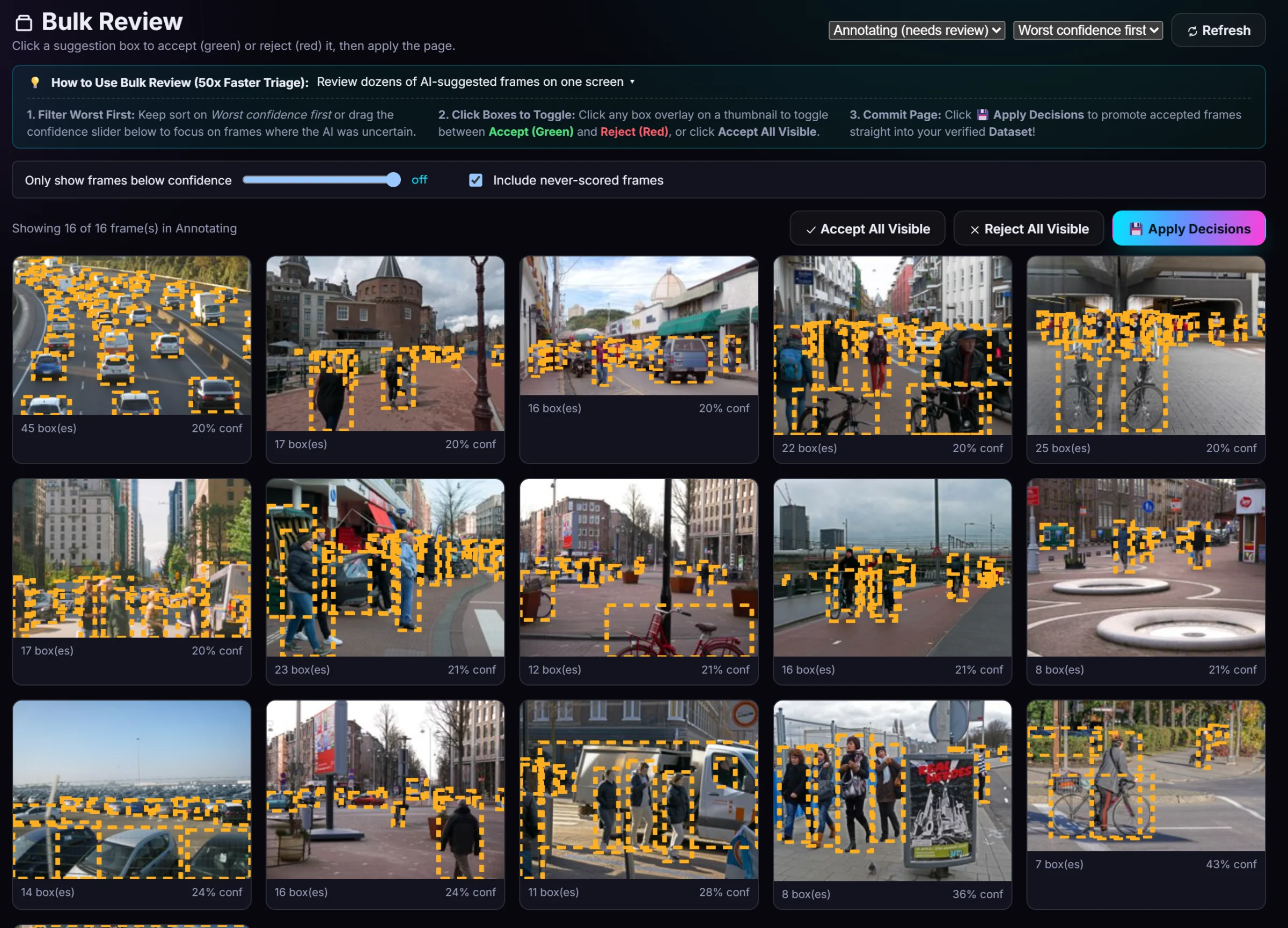
  • Bulk Review: a page of frames at once, least confident first; accept or reject per box, then apply
  • Turbo Review: flip through frames with the arrow keys for a fast visual check
  • Auto-approve high-confidence suggestions in a batch run, so you only review the doubtful ones
Bulk Review
Bulk Review grid of AI-labeled street photos
04 · Dataset quality

Catch the problems a training score hides.

Label Audit

A model re-checks confirmed frames and lists likely mistakes, worst first. One click accepts a fix; every fix can be undone.

Quick checks

Without a model: tiny stray boxes, doubled boxes, boxes that run off the image.

Validation leak check

Finds validation frames that are near-copies of training frames, and a split that keeps look-alike frames together.

Class check

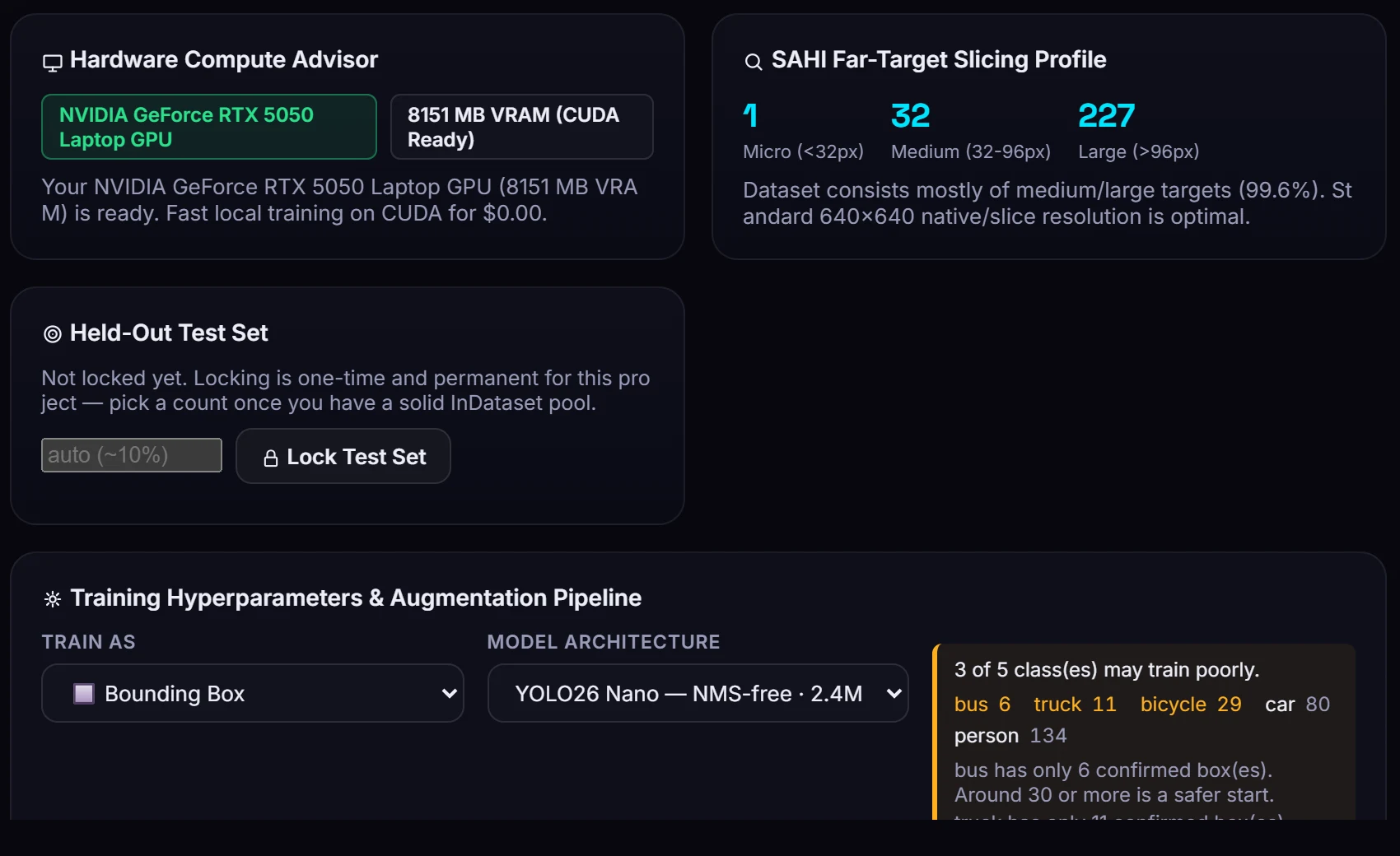
Shows which classes have too few boxes to learn, before you train.

Label origins

Which boxes a person drew, and which came from a model, a copy or an estimate.

Guidelines per class

Write what counts as each class once; it shows while anyone labels.
05 · Train and compare

Train on your GPU. Know if the new model is actually better.

  • YOLO11, YOLO26, RT-DETR, from scratch or from an earlier model in any project
  • Results per class, and the class your model misses most
  • A locked test set, so every version is scored the same way
  • SAHI tiled inference for small, far-away objects
  • Model Arena: overlay two ONNX models on the same frames
  • Burst Frames: run up to four models over a batch at once
  • Models page: every version, its scores, its classes, and whether it beat the last one
Train Studio
Train Studio showing the detected GPU, box size profile and a class warning
06 · Projects and files

Standard files, organized projects.

Export

YOLO, COCO and Pascal VOC datasets; trained models as .pt and ONNX.

Import

Bring in existing datasets, including Roboflow exports, and adopt their classes.

Move between projects

Copy frames, classes and models from one project to another.

Project report

A one-page summary of classes, boxes, splits and model scores to share.

Local files

Every project is a normal folder on your disk. Back it up or move it like any other folder.

Self-updating

Updates install from inside the app and keep every project and setting.

See it on your own footage.

7 days free, every feature on.